 AMWT
AMWTRecover deleted and formatted photos from SD cards and USB drives.
Plug the card into your Mac or PC and AMWT Desktop searches it for deleted photos, videos and other files. It only reads the card, and you see each file it finds before you recover anything.
Just lost them? Stop using the card until you have scanned it. New photos can overwrite the ones you want back.


Scanning and recovery happen on your computer. We never see your photos or their names.
How it works
How a recovery goes
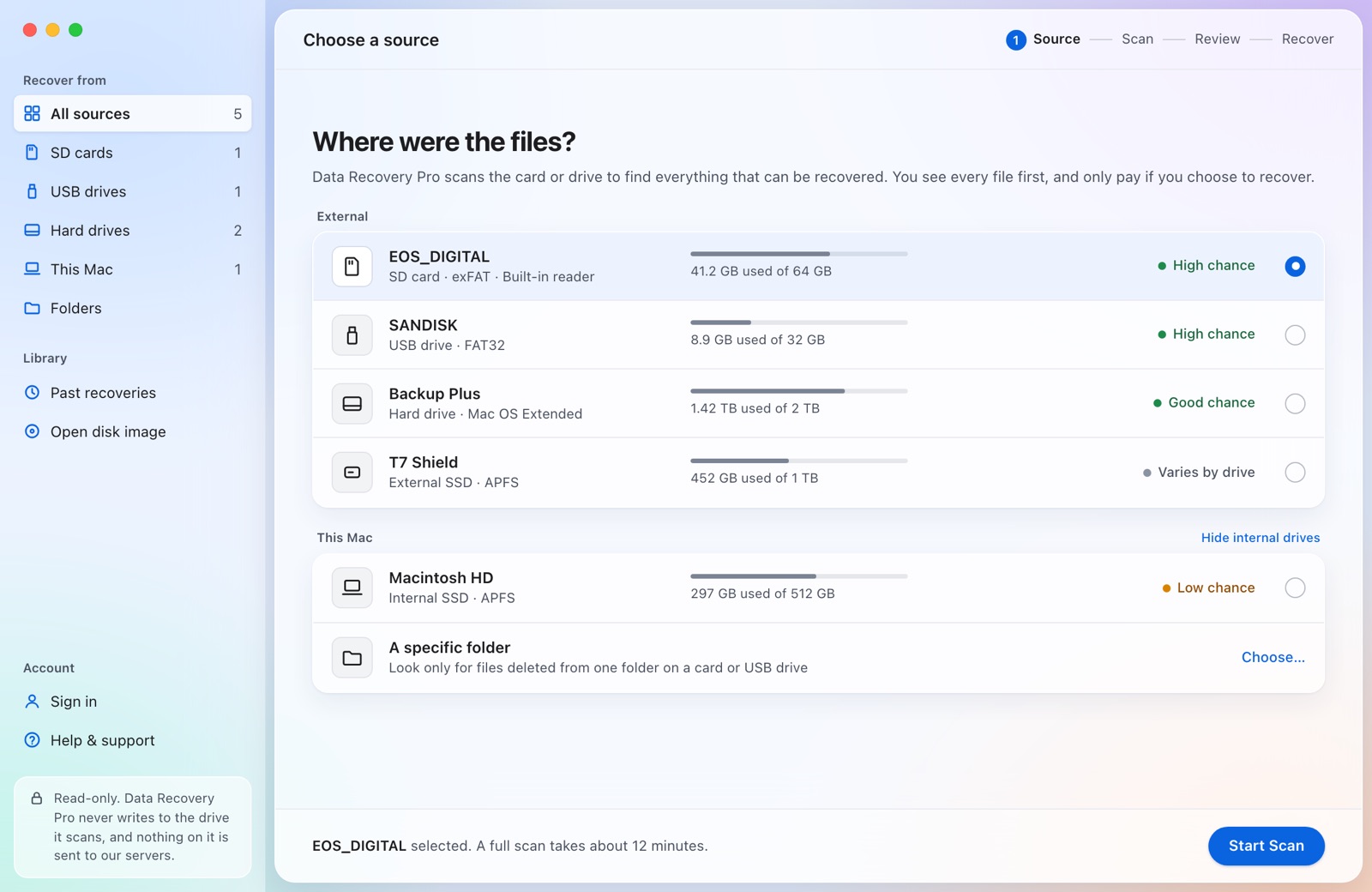
Choose the card
Plug it into your Mac or PC and pick it from the list.
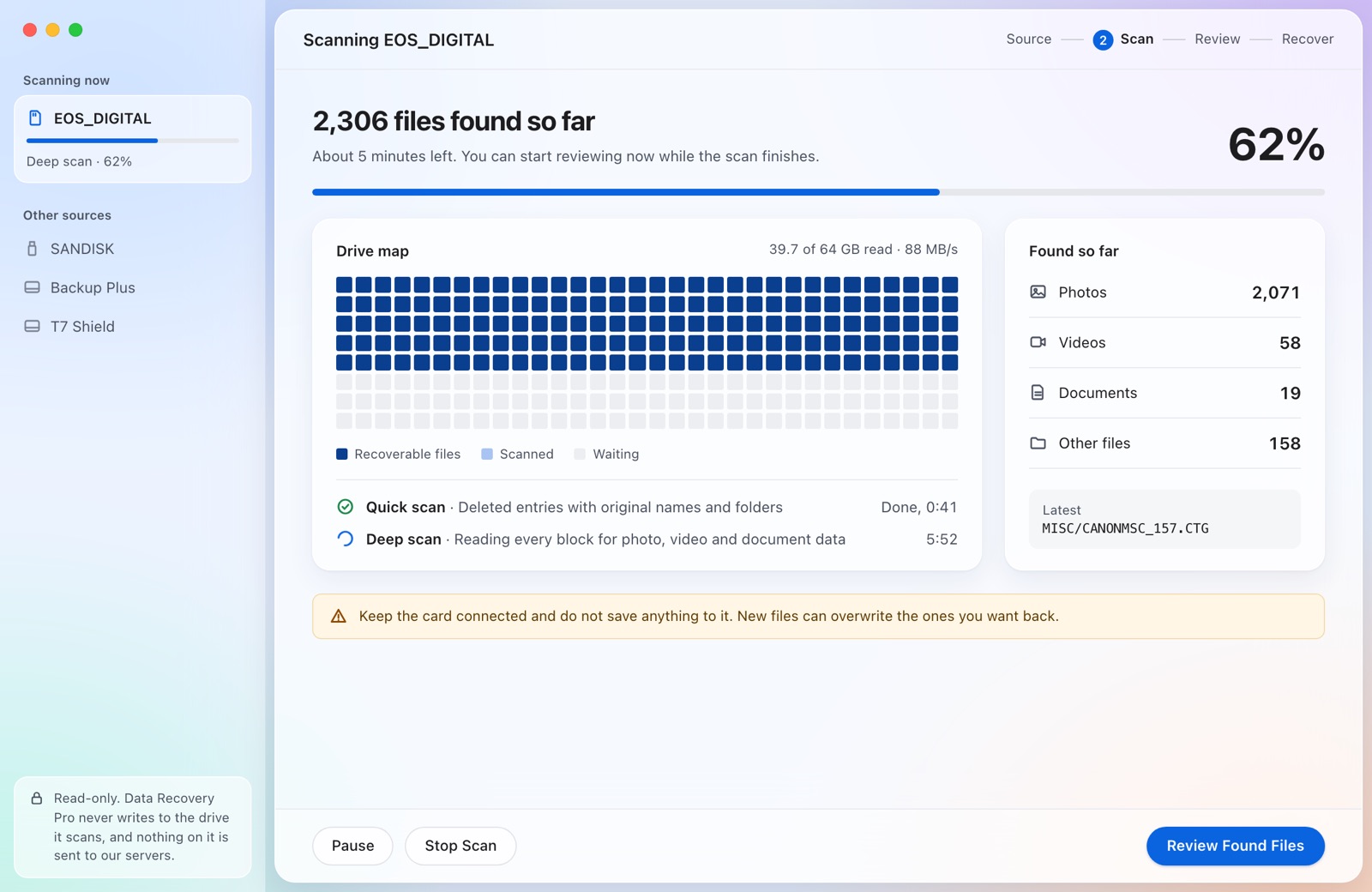
Scan and preview
Files appear while the scan runs. Open any photo full size.
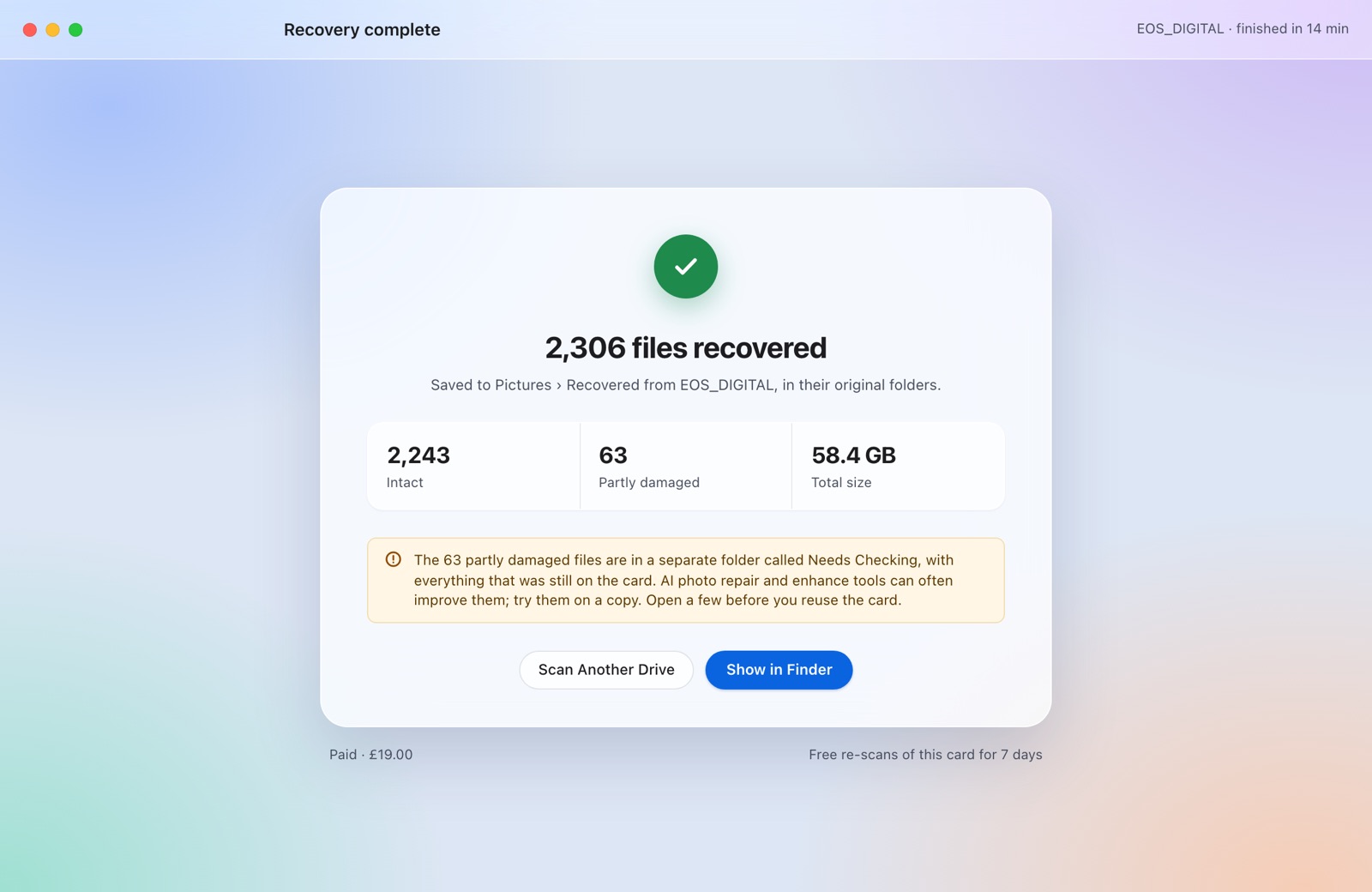
Recover to your computer
Pick the files you want. They go to a folder on your computer, never back to the card.


What it finds
Files it can recover
- PhotosJPEG, HEIC, PNG, TIFF, WebP, PSD
- Camera RAWCR3, CR2, NEF, ARW, RAF, ORF, DNG
- VideoMP4, MOV, AVCHD, MKV, AVI
- AudioMP3, AAC, WAV, AIFF, FLAC
- DocumentsPDF, Word, Excel, PowerPoint, Pages
- ArchivesZIP, 7-Zip, CAB
- Cards and drivesSD, microSD, CF, CFexpress, USB
- Names and foldersKept after a delete on FAT32 and exFAT

Restore with quality
Recovered photos keep their full quality
What you get back is the original file from the card. The app doesn't resize, convert or re-compress anything.
Your card and your files
How the app treats your card
- Read-onlyThe app opens the card read-only. Nothing is written to it.
- On your computerScanning, previews and recovery all run on your Mac or PC.
- Previews firstYou see each file and whether it opens before you recover anything.
Gallery
Screenshots
Click any screen to see it full size. Sample photos shown for illustration.
Mac and Windows
On Mac and Windows, in light or dark mode


Questions
- Can deleted photos on an SD card be recovered?
- Usually. Deleting a photo, or a quick format in the camera, only clears the card's index. The photo itself stays until new photos are written over it, which is why you should stop using the card.
- Will they be the same quality?
- Yes. Recovered files are the original files from the card, at full resolution. RAW files stay RAW. Nothing is re-compressed.
- My computer says the card needs formatting. Should I?
- No. Click Ignore on a Mac, or Cancel on Windows. The card's file system is damaged but the photos underneath usually are not, and AMWT Desktop can find them without it.
- Is it safe to scan the card?
- Yes. It only reads the card and never writes to it, and recovered photos are saved to your computer, never back to the card. macOS asks for your password, and Windows asks you to click Yes, so it can read the card directly.
- Does it upload my photos?
- No. Everything happens on your computer. It only goes online to take a payment, collect your receipt, check for updates, and, if you choose to sign in, for your account. Your files and their names stay on your computer.
- How long does a scan take?
- The quick scan takes seconds. The deep scan reads the whole card, so it depends on the card's size and your reader: roughly 12 minutes for a 64 GB card in a USB 3 reader. Photos appear while it runs, so you don't have to wait for the end.
Download AMWT Desktop
See everything it finds before you decide. macOS 13 or later on Apple silicon and Intel; Windows 10 and 11, 64-bit (early access).